
Work Hour Monitor vs We360.ai
A practical comparison for teams evaluating employee productivity tracking software.
Choose based on the workflow your team needs
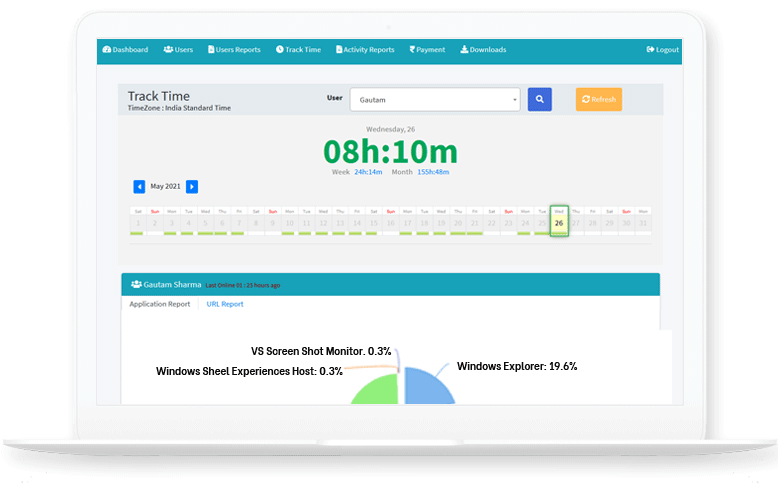
WHM focuses on affordable productivity visibility for teams that need work-hour tracking, screenshots, app and URL usage, offline time, attendance, project reports, custom reports, installer downloads, and on-premise deployment discussions.
For Project Teams
Track hours, screenshots, projects, apps, websites, and reports in one place.
For Managers
Review live team status, attendance, and non-productive usage with context.
For Control
Discuss cloud or on-premise options based on your data requirements.
WHM vs We360.ai: What to Compare
| Evaluation area | WHM fit | What buyers should verify |
|---|---|---|
| Productivity visibility | Time tracking, screenshots, app reports, URL reports, and custom reports. | Compare the reports your managers need every day. |
| Offline work | Offline time reporting and approval visibility for valid manual corrections. | Review how offline work should be handled in your company policy. |
| Team operations | Team management, project assignment, attendance, and installer downloads. | Validate onboarding, roles, and employee communication needs. |
| Data control | Cloud deployment with an on-premise path for stricter control discussions. | Confirm storage, retention, and access expectations before rollout. |
Comparison FAQs
Is WHM a We360.ai alternative?
WHM can be evaluated by teams comparing employee monitoring and productivity tracking tools for time, screenshots, apps, URLs, and projects.
Does WHM support on-premise discussions?
Yes. WHM has an on-premise option page and can be discussed for teams with stricter data control needs.