
Work Hour Monitor vs EMPMONITOR
A practical comparison for teams evaluating employee productivity tracking software.
Choose based on the workflow your team needs
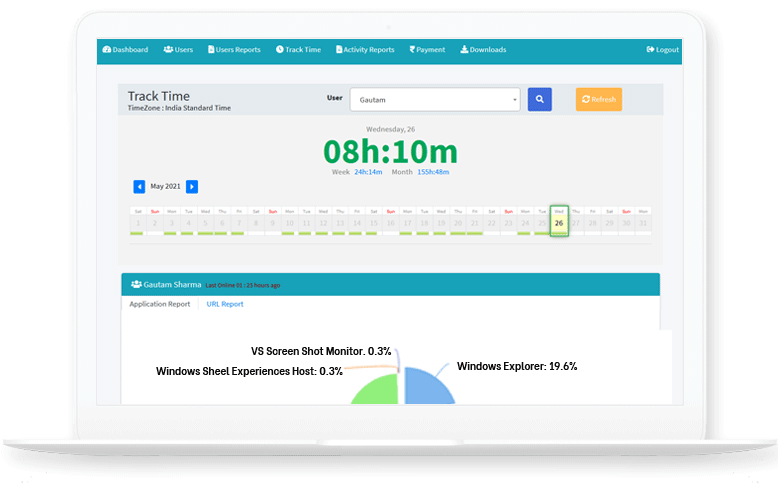
WHM focuses on affordable productivity visibility for teams that need work-hour tracking, screenshots, app and URL usage, offline time, attendance, project reports, custom reports, installer downloads, and on-premise deployment discussions.
For Project Teams
Track hours, screenshots, projects, apps, websites, and reports in one place.
For Managers
Review live team status, attendance, and non-productive usage with context.
For Control
Discuss cloud or on-premise options based on your data requirements.
WHM vs EMPMONITOR: What to Compare
| Evaluation area | WHM fit | What buyers should verify |
|---|---|---|
| Productivity visibility | Time tracking, screenshots, app reports, URL reports, and custom reports. | Compare the reports your managers need every day. |
| Offline work | Offline time reporting and approval visibility for valid manual corrections. | Review how offline work should be handled in your company policy. |
| Team operations | Team management, project assignment, attendance, and installer downloads. | Validate onboarding, roles, and employee communication needs. |
| Data control | Cloud deployment with an on-premise path for stricter control discussions. | Confirm storage, retention, and access expectations before rollout. |
Comparison FAQs
Is WHM an EMPMONITOR alternative?
WHM can be evaluated by teams comparing employee monitoring and productivity tracking tools for time, screenshots, apps, URLs, and projects.
Does WHM support on-premise discussions?
Yes. WHM has an on-premise option page and can be discussed for teams with stricter data control needs.